7 Things You Are Getting Wrong Before Your AI Skin Scan (And How to Fix Them)
Most people treat an AI skin scan the same way they treat a casual selfie, quick tap, decent smile, done. Then they wonder why their results vary week to week, or why the app flags concerns that don’t match what they see in the mirror. The issue is rarely the technology. It’s almost always the photograph feeding it.
An AI skin scan is only as reliable as the image it processes. The algorithm doesn’t know your lighting was harsh, that you wore moisturizer an hour before scanning, or that your phone camera compressed the image. It works with what it receives. Give it poor input, and the output will reflect that.
These seven points are not about looking your best. They are about giving the AI the clearest, most consistent data possible so the results you get mean something.
1. You Are Scanning Under the Wrong Light
Lighting is the single biggest variable that throws off skin scan results, yet it gets the least attention.
Harsh overhead lighting, common in Indian bathrooms and office spaces, creates deep shadows across facial zones. The algorithm reads those shadows as texture irregularities, which can falsely inflate your pore or roughness scores. Direct sunlight from a side window creates glare on oilier skin areas, which distorts shine readings and can mask underlying pigmentation.
The light you want is soft, diffused, and directed toward you. The most reliable setup is natural daylight from a window in front of you, not beside or behind you. Overcast days are ideal because cloud cover acts as a natural diffuser, spreading light evenly without hot spots or shadows. If you are scanning indoors in the evening, position yourself facing two equal light sources on either side of your face, the kind of ring-light or symmetrical lamp setup you see in professional photography. Even and frontal. That is the standard.
2. You Are Scanning at Different Times of Day
Skin genuinely looks and behaves differently at 7 am compared to 7 pm. In the morning, most people wake with slightly puffy under-eyes, reduced pore visibility, and a less oily surface because the skin has been resting. By evening, sebum production has peaked, pores appear more prominent, and fatigue shows in the eye area.
Neither state is dishonest both are real. But when you scan on Monday morning, and the following Thursday evening, your comparative results are measuring two different skin states, not actual change.
Pick a scanning time and stick with it across every session. Morning scans, fifteen to twenty minutes after washing your face, tend to provide the most neutral baseline because oil production has not yet ramped up, and you have not been exposed to environmental stressors for the day.
3. Your Skin Is Not Clean When You Scan
This one is straightforward but frequently overlooked. Skincare products sitting on the surface at the time of your scan change what the camera sees. A thin layer of moisturizer creates a reflective sheen that mimics oily skin. SPF gives the face a whitish cast under certain camera exposures. Even residual toner can alter how light interacts with your surface.
Scan on a freshly cleansed, dry face, no products applied yet. Wait at least ten to fifteen minutes after washing to allow any residual redness from rubbing to settle. The goal is to capture your skin in its natural resting state, not under the influence of anything you have applied.
4. You Are Holding Your Phone Too Close or at an Angle
Camera distance and angle have a direct effect on how facial zones map inside the frame. Hold your phone too close, and the front camera’s wide-angle lens introduces barrel distortion, which makes the centre of your face appear larger and pushes the edges outward. This affects how the algorithm reads pore density and facial symmetry.
Hold your phone at roughly arm’s length, approximately thirty to thirty-five centimetres from your face. Keep it level with your face rather than angled upward or downward. Your face should fill the frame comfortably, with a small amount of space around the edges, and the camera should be aligned directly in front, not tilted to your better side.
Also avoid scanning in a mirror. You are introducing an additional reflective surface, extra variable lighting, and a reversed image that some algorithms are not calibrated for.
5. You Are Using Portrait Mode or Beauty Filters
This is a mistake that quietly ruins tracking data. Portrait mode blurs the background by approximating depth-of-field, but the algorithm doing that approximation also smooths out fine surface detail on skin in the foreground. What you lose is precisely what the skin scan needs: pore structure, micro-texture, and subtle pigmentation variation.
Beauty filters do something worse: they actively erase the data you are trying to measure. A filter that softens skin tone, brightens under-eye areas, or reduces visible pores is telling the AI your skin is healthier than it is. Your score looks better. Your tracking shows false improvement. And when your skin genuinely improves, you have no accurate baseline to measure it against.
Turn off portrait mode. Turn off all filters. Use the standard photo mode on your front camera with the flash disabled.
6. You Are Not Keeping Your Expression Neutral
Facial muscle engagement, even subtle changes, the surface geometry of your skin. A slight smile pulls the cheeks upward and tightens skin around the mouth, which alters how fine lines in that area register. Raised eyebrows create forehead tension that changes wrinkle readings. Even squinting slightly in bright light tightens the skin around the eyes.
Relax your face completely. Mouth gently closed, jaw unclenched, eyebrows at rest. Look directly into the camera with a neutral, soft expression. It takes a moment of conscious effort, but it removes a significant source of variation between scans.
7. Your Background Is Too Busy or Reflective
The AI focuses on your face, but background interference can affect the exposure calibration your phone applies before the image is processed. Bright white walls reflect more light onto your face. Dark backgrounds trick auto-exposure into brightening the image, which can wash out surface detail. Highly reflective surfaces, such as glass, tiles, and glossy paint, bounce irregular light back onto your skin.
A plain matte background in a neutral mid-tone, a light grey wall, a plain cotton curtain, and a closed wooden door give your phone’s camera the clearest exposure reference and reduce light contamination. It is a minor change that meaningfully stabilizes your scan conditions.
The Habit That Makes All of This Work
Individual tips matter, but consistency is what makes skin tracking genuinely useful. Once you have found your spot, the right light, the right time, the right distance, photograph it. Note the room, the approximate time, and the window you face. Replicate it every time. When your results change over weeks, you will know the change reflects your skin, not your setup.
A reliable skin care app structures this process for you by storing your scan history, prompting weekly check-ins, and showing you the trend line across time not just a single number in isolation.
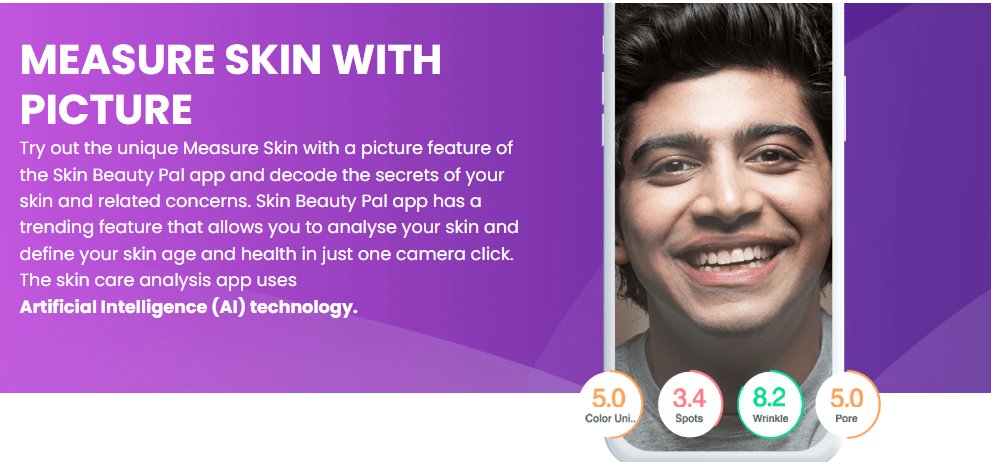
Skin Pal is built precisely around this kind of disciplined tracking. The app’s measure-with-selfie feature analyses pores, spots, skin smoothness, colour uniformity, dark circles, and skin age and the results compound in value the more consistently and correctly you photograph yourself.
Frequently Asked Questions
Inconsistent scanning conditions are the most common cause. Differences in lighting, time of day, skin hydration levels, and even phone distance from your face can produce meaningfully different readings of the same skin. Standardizing your setup same light source, same time, same distance, clean skin, no filters reduces this variation considerably. Genuine skin change happens gradually; sudden score swings almost always point to a setup issue.
Always off. Makeup, including foundation, concealer, BB cream, and tinted moisturiser, covers the surface data the AI is trying to read. Even light, “natural-finish” products alter how the camera captures pigmentation, texture, and shine. Scan on clean, bare skin after your face has had a few minutes to settle post-cleansing.
Front cameras vary significantly in resolution and lens quality across phone models. In general, newer mid-range and flagship phones produce front camera images with sufficient resolution for reliable AI analysis. Avoid using the rear camera at arm’s length for skin scans, as it introduces distance variability and is harder to align consistently. Some dedicated skin scan apps provide on-screen guides to help you frame your face correctly, regardless of device.
At least thirty minutes. Exercise, heat, and sun exposure temporarily increase redness, puffiness, and surface oiliness none of which reflect your skin’s resting condition. Scanning after physical activity will consistently overstate oil levels and redness scores. Wash your face, allow your skin temperature to normalize, and then scan.
Yes, with the right setup. Use two light sources of equal warmth and brightness positioned on either side of your face at face height, so neither creates dominant shadows. Avoid scanning directly under a ceiling light or beside a single lamp. A ring light positioned in front of you at face level is the most reliable artificial alternative to window daylight.