Which Cloud Service Model Fits You Best: IaaS, PaaS, or SaaS?
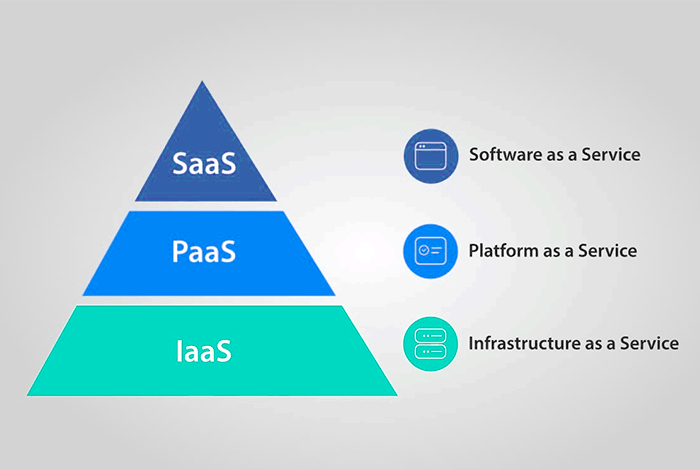
Cloud computing models and services are rapidly expanding. It enables individuals and companies to work smarter, faster, and wherever they are. However, not all cloud services are the same. You might have heard the words IaaS, PaaS, or SaaS. They don’t sound simple, but they just define how you consume the cloud.
Here’s a key point. Gartner says that worldwide end-user spending on public cloud services is forecast to total $723.4 billion in 2025. It’s huge. That indicates how much are now shifting to the cloud.
So, how do you choose the correct cloud model? That’s what we are going to learn in this guide. Every model comes with a different control, flexibility, and support level. And it depends on what you actually need.
This guide will make it really easy to determine which one is right for you. Let’s get going.
What is IaaS and When Should You Use It?
IaaS is short for Infrastructure as a Service. It provides you with virtual resources such as storage, servers, and networks via the internet. With IaaS, you handle everything yourself except the hardware. You get the freedom to build and control your apps. But you also have to handle things like updates and backups.
Why IaaS Could Work for You
- You need full control over your systems.
- You want to install your own tools and software.
- You can manage the technical side of things.
- You are building something custom from scratch.
IaaS works well for IT professionals or expanding startups. You may go up or down, as you require. Most cloud service providers provide flexible plans for IaaS, which is beneficial for small companies.
Learning PaaS: A Less Complicated Build Choice
PaaS stands for Platform as a Service. This provides you with an entire platform to develop and deploy apps. You don’t have to work on the servers or storage. The provider takes care of it. You simply concentrate on coding and developing your app.
What Makes PaaS a Good Fit
- You need to develop apps quickly.
- You don’t want to bother with hardware.
- You require tools such as databases and testing frameworks.
- Your team desires to work online.
Cloud service providers simplify PaaS by adding features such as code editors, analytics, and predefined templates. This saves time and minimizes errors.
PaaS or IaaS: What’s the Better Pick
Suppose you’re launching a new app. Do you desire complete control or speedy setup? That’s where your choice begins to form.
PaaS Wins If:
- You don’t want to think about anything beyond coding.
- You like the system to handle updates and security.
- You have a team that requires easy access.
IaaS Wins If:
- You want complete freedom to manage every aspect.
- You possess the expertise to deal with servers and software.
- You want to change and expand features frequently.
What About SaaS: The Easiest of All
SaaS is an abbreviation for Software as a Service. It’s the most typical model nowadays. With SaaS, you do not install or maintain anything; you simply use the software online. Consider e-mail tools, web spreadsheets, or CRM systems. These are all SaaS.
Why SaaS Might Be Ideal for You
- You don’t want to install anything.
- You want the tool to function instantly.
- You prefer things to update automatically.
- You need to be able to work from anywhere.
Cloud providers do everything for you when you use SaaS. You simply sign in and begin working.
How to Know If SaaS Is All You Need
Some users don’t need to create anything. They simply need to operate tools, and SaaS is ideal for this.
SaaS Is Great If You:
If you have a small business and need simple solutions,
- Use platforms such as Zoom, Google Docs, or Dropbox.
- Collaborate with a team that shares data and files frequently.
- Wanting to exclude the technical setup.
Most businesses begin with SaaS and then shift to PaaS or IaaS when they expand.
Still Not Convinced? Here’s a Quick Solution to Select
Let’s make IaaS, PaaS, and SaaS easier to understand.
| Features | IaaS | PaaS | SaaS |
| Level of control | High: Command over data, middleware, OS, and runtime. | Moderate: Restricted to application configurations and data. | Low: The service provider oversees everything. |
| Price | Variable: Pay as you use the resources. | Platform usage fees are variable but frequently include fixed monthly fees. | Based on a subscription: monthly or annual charges. |
| Use cases | Big data analytics, data centers, and disaster recovery. | API development, applications for the Internet of Things, DevOps. | CRM, email, and teamwork software, and more. |
| Examples | AWS, Google Cloud, Azure | Microsoft Azure, Google App Engine, and AWS Elastic Beanstalk | Trello, HubSpot, Salesforce, and Dropbox |
So, Which Cloud Model Suits You Best?
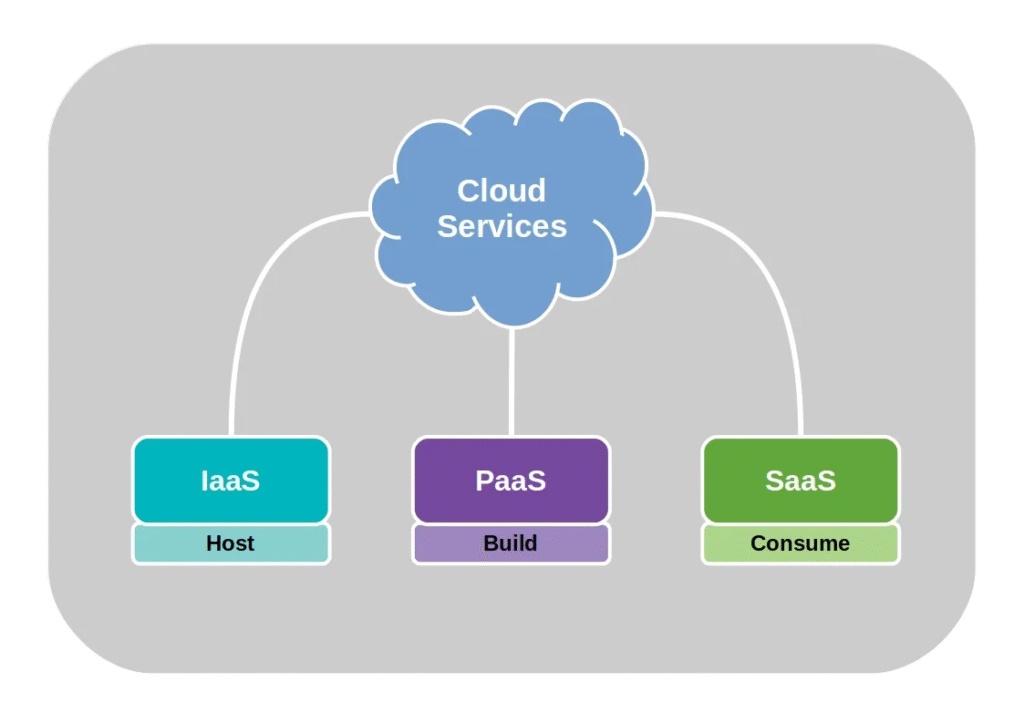
Choosing between IaaS, PaaS, and SaaS is not necessarily tricky. It depends on what you require and how much control you want.
- Select IaaS if you prefer total control and can handle the technical work.
- Select PaaS if you prefer to create apps without having to maintain servers.
- Select SaaS if you want to utilize tools without setup.
Both have their advantages. What is most important is how it will fit into your work or business. As cloud usage keeps expanding, more will discover that even basic tools can make a huge impact.
Last Word: Make the Smart Choice
Cloud models are not just for large organizations. They assist everyone to work smarter. You simply need to choose the one that aligns with your objectives.
You can save time, reduce costs, and accomplish more with the right equipment and cloud service providers.
You’re ready to decide now that you know about IaaS, PaaS, and SaaS. Begin small. Experiment with it. And as your requirements evolve, your cloud model can also grow.
Let the cloud work for you.